


Lumina: Scripture & Bible
4.7647.00 Reviews
App Specs
- Version
- 1.2.0
- Updated On
- License
- Free
- Downloads
- 100,000+
- Developer
- WiseWakeTech
- Categories
- Books & Reference
- Platform
- Android
Screenshots

 Analysis by AppCompare
I tend to reach for a Bible app when I have a small pocket of time, not when I’m prepared to sit down with a stack of reference books. Lumina: Scripture & Bible is aimed at that everyday rhythm: opening scripture during a commute, returning to a verse later, or bringing a question to a group conversation. It is a free Books & Reference app from WiseWakeTech, and its mix of reading, study tools, and community gives it a broader purpose than simply keeping a Bible on a phone.
Beginning with a small moment
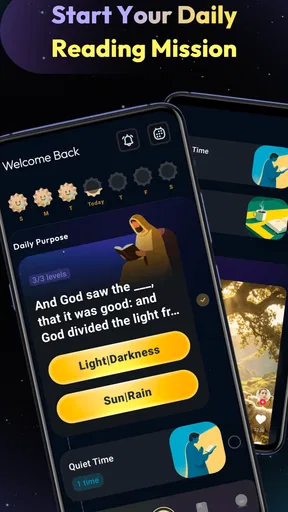
A realistic way to use Lumina is to start with one manageable intention rather than trying to build an elaborate study routine on day one. I might read the daily verse over breakfast, pause to write down what stands out, and save it for a conversation later in the week. That sequence makes the app feel less like another feed to check and more like a prompt for reflection. The daily verse is especially useful when I want a clear starting point but do not yet have a passage in mind.
That simplicity is also a useful test of fit. Someone who wants a brief devotional nudge or a convenient place to revisit scripture may appreciate the approach. A reader who already follows a carefully structured study plan, or who prefers a printed Bible and handwritten notes, may find a phone app less appealing. I would treat Lumina as a flexible companion to a reading habit, not as a replacement for every way of engaging with scripture.
Moving from a verse to a question
When a line catches my attention, the practical next step is to look beyond the isolated wording. Lumina’s concordance, cross-references, and study notes give a reader ways to follow a theme or explore related passages. That is more helpful than repeatedly searching the web for a verse fragment, where the surrounding context can get lost. Switching between Bible versions can also help when a familiar phrasing feels difficult to understand, though I would compare translations thoughtfully rather than treating one wording as the final answer.
One useful workflow is to read a passage in the version I know best, switch to another for a fresh phrasing, then use cross-references to see what other passages connect to the same idea. I can keep a note of the question I still have and bring it to a group discussion instead of deciding too quickly that I have settled the meaning. The app’s tools support that kind of exploration; they do not remove the need to consider context, genre, or differing interpretations.
Keeping discoveries useful later
Saving verses into personal collections can turn a passing moment into something easier to revisit. I would organize collections around practical reasons for returning—such as passages to discuss with a friend, verses I want to reflect on, or material for a group meeting—rather than creating a long list of loosely named folders. A small amount of organization at the start makes saved material more useful when I need it later.
Sharing a collection can also create a handoff from private reading to conversation. For example, I could send a group a few passages before meeting and use them as a starting point for discussion. That is a different use from posting a single inspirational line: a collection can preserve several related verses together. Still, sharing works best when I add my own question or context, so friends know why I chose those passages rather than receiving a message without explanation.
Worth Reading Before You Choose

EA SPORTS FC Mobile 26 Is a Bigger Football Game, but It Takes Time

Flipboard Shows What News Apps Must Do Beyond the Feed

Switching to Android Auto Means Rethinking Your Driving Routine

Google Calendar Makes a Crowded Week Easier to Manage

Ludo King Makes the Most of the Minutes Between Plans

Baby Panda World Brings Quick Play to Modern Phones, but Its Game Library Feels Busy
When study becomes shared
The community tools extend that handoff. Groups and discussions can make the app useful for someone who wants to read alongside others, and the prayer wall offers a place to post a request or encounter other people’s concerns. I see the strongest value here when the digital space supports a real relationship: a group can use a passage to prepare for a conversation, then continue talking outside the app.
There is a trade-off, though. A community feature can be encouraging, but it also asks for attention and social energy. If I only want a quiet reading session, discussions and prayer posts may be extra activity rather than a benefit. I would choose deliberately whether to use the social side, and keep personal reflection separate from anything I am comfortable sharing. That boundary matters especially when a prayer request involves something private.
Preparing for the places without a connection
Offline access is handy when I know I will be travelling or expect unreliable data. The useful move is to download the Bible versions and reading plans I expect to use before leaving, then check that the material I need is available while I still have a connection. That small bit of preparation is more dependable than assuming everything will load once I am on a plane or somewhere remote.
Language options also broaden the ways Lumina can fit into a household or group where readers are more comfortable in different languages. I would check that the version I want is available in the language I plan to use, and make sure everyone in a discussion is referring to the same passage even if their wording differs. For detailed comparative study, a dedicated reference source may still be a better fit; Lumina’s convenience is strongest when I want to read and explore without assembling several separate tools.
Features That Light the Way
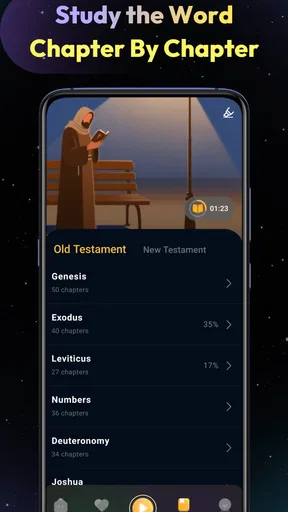
One of the first things you'll notice about Lumina: Scripture & Bible is its user-friendly interface. It's like they took all the complex stuff and just tossed it right out the window. Seriously, navigating through this app is smoother than a Sunday morning breeze. You can easily switch between different Bible versions, which is perfect if you’re like me and sometimes need a different perspective or a more modern translation to fully grasp the message.
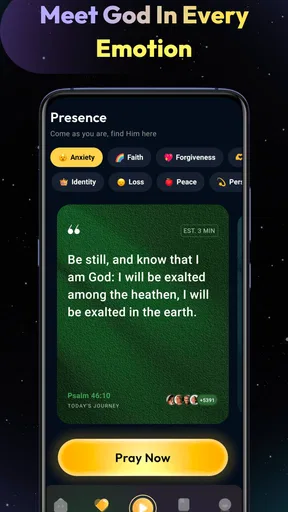
Now, let’s talk about the verse of the day feature. This little gem is a game-changer for anyone trying to keep their spiritual life on track. Each day, you’re greeted with a new verse that’s perfect for reflection. It’s like having a mini devotional right there on your phone. If you’re into journaling or meditation, this feature will become your new best friend.
More Than Just Reading
Reading the Bible is one thing, but Lumina offers so much more. The app includes a
- comprehensive concordance
- cross-references
- study notes
Another cool feature is the ability to create and share your own collections of verses. You can save your favorite scriptures and organize them into folders. I’ve found this particularly helpful for keeping track of verses that speak to me during different seasons of life. Plus, you can share these collections with friends, making it a great way to connect and share inspiration with others.
A Community at Your Fingertips
Let’s not forget the social aspect of Lumina. The app has a built-in community feature where you can join groups, participate in discussions, and even pray with others. It's like a virtual small group meeting whenever you need it. The ability to interact with other users adds a whole new dimension to the Bible study experience.
There's also a prayer wall, where you can post prayer requests and see others' prayers. It’s a beautiful reminder that we’re all in this together, offering support and encouragement to one another.
For Everyone, Everywhere
If you're worried about data or need to access the app offline, Lumina has got you covered. You can download your favorite Bible versions and reading plans for offline use. This means you can take your study with you, whether you're on a plane, in a remote location, or just conserving data.
The app is also available in multiple languages, making it accessible to a global audience. No matter where you are in the world, Lumina brings the Bible right to you, breaking down language barriers and making scripture accessible to all.
Who will get the most from it
I think Lumina suits readers who want several parts of a scripture routine in one place: reading, looking up related passages, saving verses, and optionally joining a community. Its 4.6 average from around 1.4 thousand ratings suggests many users have found it useful, and more than 100 thousand installs indicate that it has reached a substantial audience. Those figures are reassuring context, but the better test is whether its workflow matches how you actually read.
It is free, rated for Everyone, and its current version is 1.0.6, with Android 8.0 as the minimum operating system. That makes it approachable for a broad range of Android users. The app was released on January 9, 2026, so I would still judge it by how it works on your own device and whether its available tools suit your habits rather than assuming every reader needs the same setup.
Compared with using a basic digital Bible, Lumina brings study aids and social interaction into the same experience. Compared with a printed Bible, it is easier to switch versions, search connections, and carry saved collections, but it can make a quiet reading session compete with notifications and other phone distractions. A dedicated study reference may offer a more focused research experience, while a simple Bible reader may be better for someone who wants no community layer or extra prompts. Lumina sits between those choices: useful when convenience and connected study matter more than a completely distraction-free page.
Small habits that prevent friction
I would make the first session practical rather than trying every tool at once. Read a short passage, use one cross-reference, and save only what I genuinely want to revisit. If I save every interesting line, collections can become a second inbox that I never clear. Naming a collection by its purpose—rather than by a vague mood—helps later when I am trying to find a verse before a meeting or personal reflection.
For a group, I would agree on a passage before sharing a collection and include a short note about the question the group is considering. That gives people a clear path from reading to discussion and avoids making the app itself the focus. For personal study, I would keep a separate collection for unresolved questions; returning to those questions later is often more valuable than collecting only verses that already fit what I believe.
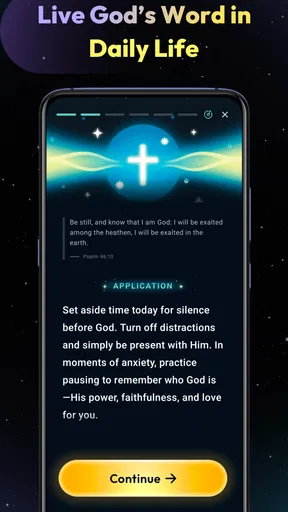
These habits also make the app easier to use in short bursts. During a lunch break, I can read the daily verse and save a thought; later, at home, I can follow a reference and give the passage more attention. When travel is coming up, downloading the relevant material beforehand keeps that routine from depending on a connection. The handoff is simple: a quick encounter becomes a saved prompt, then a longer reading or a conversation when time allows.
Where the flow can break
The main limitation is not a missing button so much as the amount of activity a reader may be trying to manage. Reading, study notes, saved collections, groups, and a prayer wall can make one app feel comprehensive, but each extra layer competes for attention. If I am looking for a calm, uninterrupted reading experience, I would keep the session focused on the text and avoid treating every social feature as something I need to use.
There is also a difference between having study tools and having a complete answer. Cross-references and notes can point toward context, but they cannot resolve every interpretive disagreement or substitute for careful reading. Someone preparing academic work or needing extensive scholarly resources may prefer specialist reference material alongside a Bible app. Lumina is more convincing as a practical daily companion than as the sole source for complex research.
Readers should also think about what they are comfortable sharing. A verse collection sent to friends is a manageable way to start a discussion; a personal prayer request is more sensitive. I would pause before posting anything I would not want a wider group to see, and use the community side only when its social setting feels appropriate. That is not a reason to avoid the feature, but it is a good boundary to set before using it.
Choosing a routine that lasts
For me, the best outcome is not simply opening an app every day; it is having a passage lead somewhere useful. Lumina can support that by making it easy to move from a daily prompt to a related text, from a saved verse to a journal entry, or from private reading to a group conversation. The strongest routine is likely to be modest: choose a passage, ask one honest question, save what merits another look, and let the rest wait.
If you want a Bible and a few connected ways to explore it, Lumina is worth trying. If you want a strictly offline paper-like reader, an extensive scholarly library, or no community features at all, another format may suit you better. Its value is in bringing several everyday steps together without requiring a reader to make each one part of every session.
Wrapping It Up
All in all, Lumina: Scripture & Bible is a stellar app that combines technology with spirituality in a way that’s both innovative and practical. It’s not just about reading the Bible; it’s about experiencing it, understanding it, and living it out daily. Whether you're a tech-savvy millennial or someone just dipping their toes into the digital world, this app is a fantastic resource to have on hand.
So, if you're looking for a way to keep scripture close and enhance your spiritual journey, give Lumina a try. It might just become your new favorite app.
Pros
- Intuitive user interface for easy navigation.
- Comprehensive search feature for quick access.
- Offline mode available for convenient reading.
- Customizable reading plans and reminders.
- Supports multiple translations and languages.
Cons
- Limited free features without subscription.
- Occasional syncing issues across devices.
- Ads can be intrusive in the free version.
- Requires internet for additional resources.
- Some translations not available offline.
FAQs for Lumina: Scripture & Bible
What is Lumina: Scripture & Bible and how does it work?
Lumina: Scripture & Bible is a comprehensive app designed to provide users with access to a wide array of biblical texts and resources. It offers features like verse comparison, commentaries, and daily devotionals. The app is user-friendly, allowing easy navigation through different translations and interpretations, making it suitable for both study and personal reflection.
Is Lumina: Scripture & Bible free to use, or does it require a subscription?
While Lumina: Scripture & Bible offers a free version with basic features, there is also a premium subscription available. The premium version unlocks additional resources such as advanced commentaries, deeper study guides, and an ad-free experience. Users can choose the version that best fits their needs and budget.
What unique features does Lumina: Scripture & Bible offer compared to other Bible apps?
Lumina stands out with its verse comparison tool, allowing users to view different translations side-by-side. It also offers interactive commentaries and the ability to bookmark and highlight verses. The app’s daily devotional feature helps users to stay engaged with structured spiritual growth, making it a favorite among dedicated Bible readers.
Can I use Lumina: Scripture & Bible offline?
Yes, Lumina: Scripture & Bible offers offline functionality. Users can download specific versions and resources for offline access, making it convenient for study and reflection without the need for an internet connection. However, some features, like updates and certain interactive tools, may require online access.
How user-friendly is Lumina: Scripture & Bible for beginners?
Lumina: Scripture & Bible is designed with user-friendliness in mind, featuring an intuitive interface that guides beginners through its functionalities. The app includes tutorials and help sections to assist new users in navigating its features efficiently, making it accessible for individuals at any level of familiarity with Bible study apps.


